00:00–00:18
Ship the launch video
Opening line. Screen recording. Two callouts. Logo. URL. Start with Fiivo’s editable announcement and replace the parts that are yours.
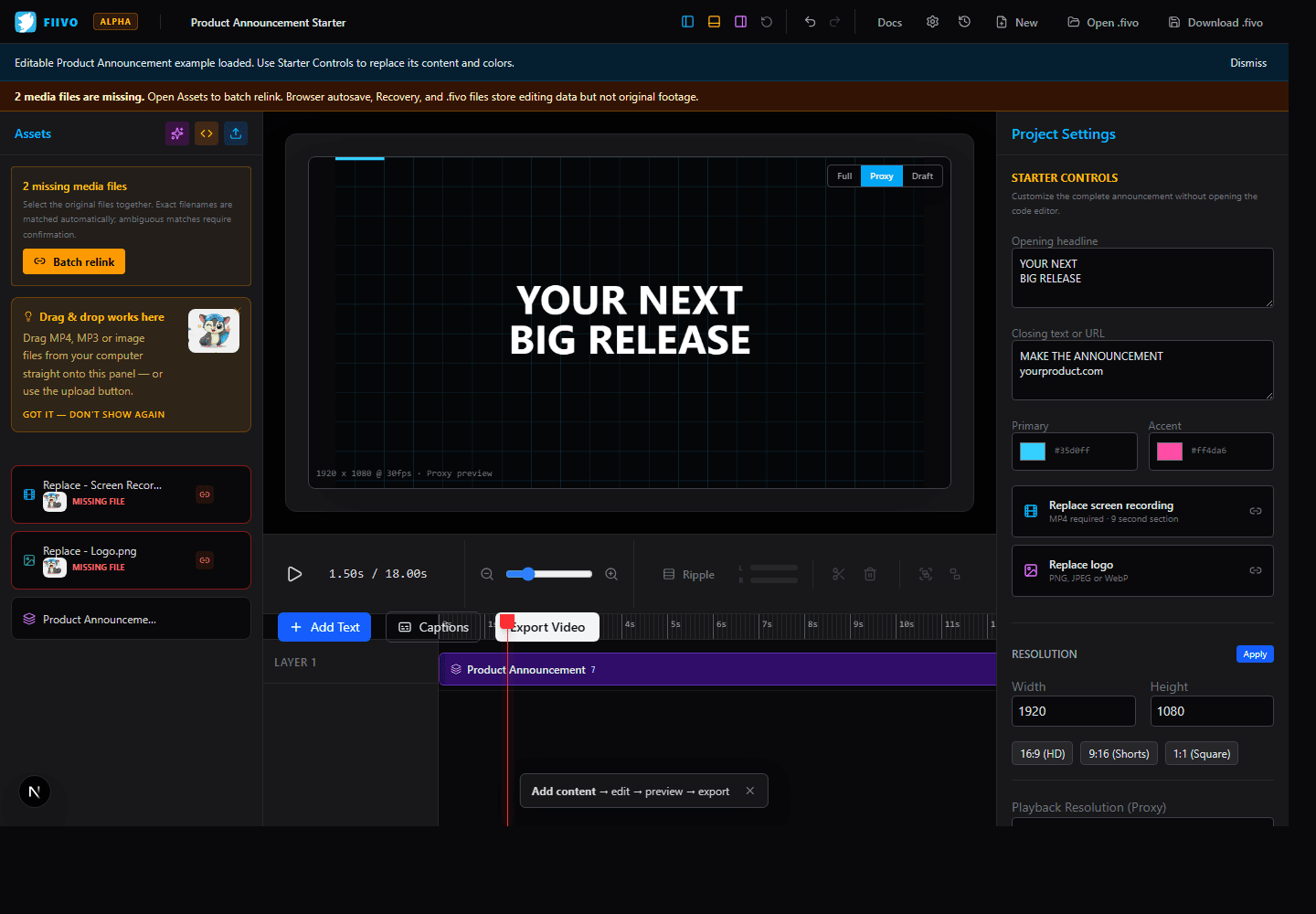
A video editor with a code track and an AI assistant
Fiivo is a timeline editor for screen recordings, launch videos, and the odd visual that only makes sense as code. Ask the built-in AI to build the edit, source music and sound effects, or generate graphics — your footage stays in your browser.
No account. No watermark. Alpha software with a documented export profile.
Three good reasons to open it
Opening line. Screen recording. Two callouts. Logo. URL. Start with Fiivo’s editable announcement and replace the parts that are yours.
Animated type, captions, color, audio fades, focus zooms, and transitions without rebuilding the whole edit.
A data-driven chart, a restless grid, a branded particle field. Write Canvas code beside a live preview, then use it like any other layer.
Built-in AI assistant
A chat panel lives beside the timeline. It generates real, editable tracks — and now sources music, sound effects, and reads your scripts and subtitles so cuts land where they should.
Describe the video in plain language. The assistant builds the timeline — clips, titles, keyframes, transitions, and procedural graphics — and applies it as real, editable tracks.
The AI can suggest licensed-for-use background tracks matched to the mood of each scene. Nothing is added until you approve the pick.
Whooshes on transitions, clicks on UI beats, risers and ambience under scenes — suggested by the AI and dropped exactly at the frames it asked for, with fade envelopes included.
Attach a .txt or .md script to any prompt. The AI follows your scene order, narration lines, and terminology instead of inventing its own.
Bind an .srt or .vtt file to a clip and the AI reads the cue timestamps — so it cuts at sentence boundaries and places effects where things actually happen.
Ask for a particle field, a glitch transition, or a 3D WebGL scene and get working sandboxed code beside a live preview — ready to hand-edit in the studios.
How it works
Import local media or load the editable product announcement example.
Trim, split, layer, caption, color, animate, and mix audio on the timeline.
Open a dedicated studio for live graphics, effects, or two-clip transitions.
Review the result, then render a checked MP4 locally in a supported browser.
Imported footage, previews, project autosaves, recovery snapshots, personal presets, code execution, and export processing stay in your browser. Fiivo does not upload source media to a rendering server.
Downloaded .fivo files store editing data and code, not the original media. Keep your source files and relink them when reopening elsewhere.
Start with something complete
The starter is a complete 18-second product announcement. Customize it without opening the code editor, or inspect every layer when you are ready.